TO DO:
Have a GUI that creates a very basic building according to user specifications [3/6]
IN PROCESS:
Fine tune details for implementation [1/6]
COMPLETED:
Set up SVN [0/1]
Research dis/advantages of using Python vs. C++ API's for Maya [0/3]
Experiment with MEL UI creation [0/3]
Read about Maya
Nodes[0/5]
Read about Maya C++ API, MEL Scripting [0/10]
Build basic plug-in for Maya in MEL[0/4]
Set up framework [0/5]
While looking through tutorials on making MEL GUI's, I came across
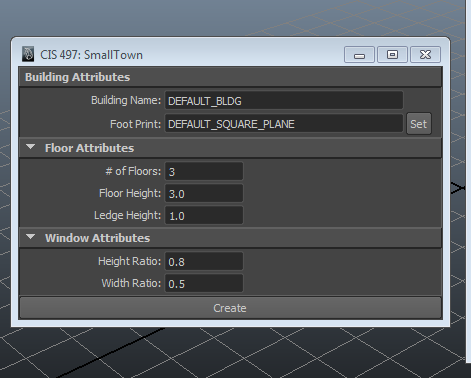
this page that introduced groups of controls, such as intFieldGroup. Previously I had been trying to create my GUI with individual text labels, fields, and buttons, but this simplified the process a lot. Right now I have a GUI with frame and column layouts. I also figured out how to extract the user input as a button command, so my next step is to finish creating the geometry from these inputs.
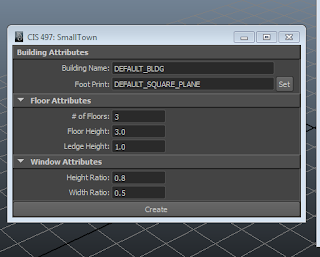 |
| The name is a placeholder for now... |
For now, I plan on limiting the generation of the building to just user interaction with the GUI. Once I complete all the functionality listed in the current GUI, I'll start incorporating dynamic resizing. From this
tutorial, the process seems like it will have to incorporate scriptJobs. I haven't looked very closely at this section yet, but plan on reading more about it in the future.
A small problem I hadn't foreseen is global variables in MEL. I initially had a global proc that extracts all the user inputs from the GUI and dumps them into variables, since it's easier to keep track of what's what (see below):
// Retrieves all values from the GUI and assigns them to variables
global proc retrieveGUIValues(){
//building attributes
$buildingName = `textFieldGrp -q -tx Building_Name`;
$footprintName = `textFieldButtonGrp -q -tx FootPrint_Name`;
//floor attributes
$numFloors = `intFieldGrp -q -v1 NumFloors`;
$floorHeight =`floatFieldGrp -q -v1 FloorHeight`;
$ledgeHeight = `floatFieldGrp -q -v1 LedgeHeight`;
//window attributes
$windowHeightRatio = `floatFieldGrp -q -v1 WindowHeightRatio`;
$windowWidthRatio = `floatFieldGrp -q -v1 WindowWidthRatio`;
//check
print ("creating building named " + $buildingName + " with " + $numFloors + " floors! LOL Just Kidding! \n");
}
However, I soon realized that these variables are out of the scope of all the other procs, and I need to specify them as global to rectify this. Using global variables requires an additional step of declaring it within each proc, which in the end isn't much cleaner than just re-extracting the user input whenever I need it, so off to the recycle bin this goes.